

Everything You Need to Run Digital Signage
From content uploads to enterprise-grade governance, see exactly how myscreenverse works and what hardware it runs on.
Live in 3 Simple Steps
Seconds to sign up. Seconds to add a screen. Seconds to add content and go live.
Sign Up Free
Create your account in seconds.
Add a Screen
Connect any HD TV or monitor with a low-cost media player (Amazon Signage Stick recommended) via a simple pairing code. No smart TV needed.
Upload & Go Live
Add your images and videos, build a playlist, and push it live to your screen(s) instantly.
Sign-up / onboarding: create a free account in seconds.
Setup: get a compatible screen and media player.
Pairing: connect the device to your account via a pairing code.
Content upload: add images and videos to your media library.
Playlist building: group content and add scheduling rules.
Scheduling & publishing: assign playlists to screens; content goes live within seconds.
Monitoring: check screen status via the dashboard (native app recommended for full monitoring).
Ongoing management: update content and add screens or locations any time, remotely.
Reporting (Enterprise): review play-out/impression reports and user audit history.
Everything Your Screens Can Do
From simple content uploads to enterprise-grade governance, organized by what matters to your team.
Upload photos & videos
Including audio, to build engaging, dynamic content instead of static posters.
Scheduled playlists
Run content continuously or at specific times and dates, breakfast vs. dinner menus, made easy.
Slideshow playback
Rotate multiple assets automatically across your screens.
Live web/URL content
Display live web pages as part of your content rotation alongside media.
On-device caching
Content is cached locally, so screens keep playing through internet outages.
Recommended file formats
JPG for images, MP4 for video, for the smoothest playback.
Unlimited screens
No hard cap on Business Pro and Enterprise Plus plans. Scale from one screen to thousands.
Portrait & landscape
Run either orientation to fit menu boards, posters, or wayfinding displays.
Synchronized & video wall support
Coordinate multiple screens for larger-format, composite displays.
4K content support
Play high-quality 4K images and video (hardware-dependent).
Auto-start on boot
Screens self-recover after a power cycle or crash. No manual restarts needed.
Unlimited storage & playlists
No growth ceiling on Business Pro and Enterprise Plus plans.
Cloud dashboard, anywhere
Accessible from any browser, on desktop or mobile, wherever there's internet.
Add, monitor & control
Manage screens without on-site visits. Pair once, then manage forever remotely.
Screen status monitoring
Available via the installed Android/Firestick app. Note: the web player does not support live status monitoring. Install the native app for full visibility.
Manage multiple locations
Add screens, content, and playlists for every location from a single account.
Multi-tenant / franchise accounts
Manage many brands or locations centrally under one enterprise account.
2-Factor authentication
An extra layer of login security for your team.
Encrypted accounts
Account-level encryption for enterprise governance.
User audit history
Track team member actions for accountability and compliance.
Play-out / impression reporting
Proof-of-play reporting for advertisers and campaign accountability.
Dedicated server option
Available for Enterprise Plus customers with heavier infrastructure needs.
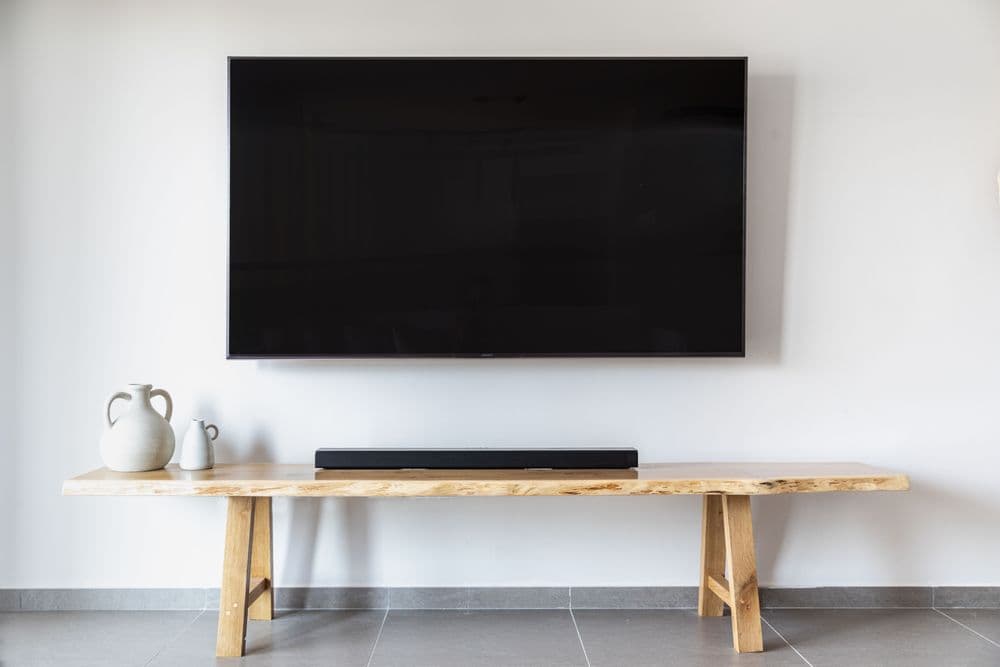
Works With Hardware You Already Trust
No smart TV required. Any HD TV or monitor works. Pair it with an affordable, widely available media player instead of costly proprietary equipment. Tablets are also supported as displays, in both portrait and landscape orientation.
- No smart TV required: works with any HD TV or monitor
- Recommended device: Amazon Signage Stick ($99.99 US / £151.99 UK)
- Supports Fire OS, Android, Raspberry Pi OS, Linux, Windows, LG WebOS, macOS (upload only)
- Accessories available: wall mounts, USB power cables, Ethernet adapters for Firestick
See These Features Live on Your Own Screen
Start with 10 screens free. No contracts, no technical skills required.
Manage Your Screens From Anywhere: App or Browser
Download the myscreenverse app to manage your screens on the go, or skip the install and use myscreenverse straight from your web browser. No app required. Either way, you get full control of your screen network, wherever you are.
- Free Android app for quick, on-the-go screen management
- No installation needed: use myscreenverse right from your browser
- The browser version is fully responsive: works on desktop, tablet, and mobile
Contact Our Team
Prefer to talk to a person? Reach our support team directly, or send a message and we'll follow up.

Contact details above are sourced from our published support channels. If you reached us through a different email or number, that one is fine to use too.